


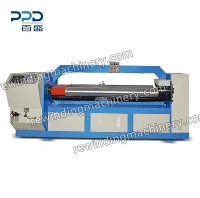

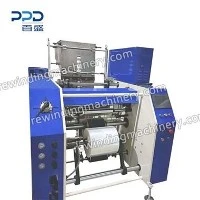

If you’ve ever ordered custom invoices, shipping manifests, or payroll checks from a print shop, you’ve probably held a product that a Business Form Press helped make. I’ve been supplying these machines for over a decade, and I still get asked the same question at trade shows and customer calls: “Wait, what even is a business form press, and how does it work exactly?” It’s not some mysterious, industrial black box – it’s a precise workhorse that turns blank, pre-sized paper into forms that fit exactly what a business needs, no messy hand-stapling, misaligned margins, or missing perforations. Let’s break it down like we’re chatting over coffee at a job site, no jargon overload.
First, let’s set the scene. Most custom business forms aren’t just plain paper with text printed on them. They’re usually continuous forms – think that long, folded stack of shipping labels with perforated edges, or those 3-part invoices where carbon paper transfers details to each copy. If you tried to make those with a regular office printer, you’d be there for hours, misaligning every sheet, and ending up with a stack of forms that don’t line up when you feed them into a scanner or printer later. That’s where a Business Form Press comes in. It’s specialized equipment built to handle exactly what standard printers can’t: high-volume, continuous-form printing with added features like perforation, scoring, numbering, and even applying carbon layers – all in one pass.


Let’s start with the core components, because knowing the parts makes the process make sense. The first thing you need to feed into the press is a continuous roll (or a stack of pre-punched sheets) of base paper. For multi-part forms, you’d load multiple rolls at once: say, white paper for the original, yellow for the duplicate, and pink for the triplicate. That’s where a Computer Form Collator comes in – it’s the machine that aligns all those paper rolls perfectly before they go into the press, so every layer lines up straight and the holes for tractor feeding (the sprockets that move the continuous stack through the press) match up across every sheet. I always tell new customers: skimp on the collator, and you’ll spend more time fixing misaligned forms than actually using them.
Once the collator has the layers lined up, the paper moves into the press’s main printing section. Most modern Business Form Presses use flexographic or offset printing, but wait – not the same as the big press you see for newspapers. These are smaller, more precise, built for text and specific small logos (like a company’s invoice header or a shipping company’s logo) rather than full-page photos. The plates used here are lightweight, flexible, and custom-made for each customer, so they pick up exactly the inked design they need, no smudges. For businesses that need variable data (like unique invoice numbers or customer addresses), the press has a variable printing module that feeds data from a computer directly to the ink plates, so every form is slightly different – perfect for payroll or billing where every entry is unique.
Now, the part that makes business form presses worth every penny: the finishing operations. Once the text and logos are printed, the form moves through a series of rotating rollers, and that’s where all the custom features get added. Let’s take perforations, for example. If you’ve ever ripped a shipping label off a stack, that tiny, easy-tear line? A blade roller cuts half-way through the paper (or all layers, for multi-part forms) exactly where you want it. Scoring is similar, but it creases the paper instead of cutting it – great for the fold lines on invoices that go into envelopes. Numbering is another big one: most presses have a sequential numbering module that automatically stamps each form with a unique number, so you never have to manually count or number invoices. No more lost numbers, no more mismatched sequential stacks – that’s a huge time-saver for small business owners who don’t have extra admin staff.
Wait, what about those carbon copies? That’s not just adding a layer of carbon paper – most modern presses use carbonless paper (NCR, or No Carbon Required) where the back of one sheet has microcapsules of ink that transfer pressure to the next sheet. The press is calibrated so those capsules don’t accidentally break before you want them to, which would mess up the entire stack. A good collator, by the way, helps with this too – it feeds the NCR layers in the exact order they need to be, so when you write on the top copy, the details transfer cleanly to the second and third.
I’ve seen customers get nervous about running their first job on a new press. They’re worried about jams, misaligned forms, or the press not handling their specific paper weight. That’s why I always make sure to walk them through a test run before they take the machine home. For example, if a customer makes heavy-duty shipping labels, we’ll run a short stack of the heavy paper through the press on-site to check that the perforations cut all layers evenly and the text doesn’t smudge. That’s the part most blog posts don’t talk about – it’s not just the machine itself, it’s matching it to the specific job you need it for.
Let’s throw in a real example to make this concrete. A local e-commerce client of mine needed 10,000 continuous shipping labels with their logo, sequential numbers, and perforated edges for easy tearing. They tried using a regular laser printer first, and after 2 hours, they had 12 misaligned labels, half the perforations were torn all the way through, and the sequential numbers were duplicated on two sheets. We set them up with a medium-duty Business Form Press and a small Business Form Collator Machine to align the 4-ply label stock they use. The first run? No misalignment, every perforation was perfect, sequential numbers were in order, and they finished the entire 10,000 stack in 20 minutes. They told me that cut their shipping label prep time by 80% – that’s the value of these machines, not just “making forms,” but making forms that work for how their business actually operates.
A common myth I hear is that business form presses are outdated now that digital invoices are everywhere. But here’s the thing: even in 2024, 70% of small to mid-sized businesses still use physical forms for shipping, payroll, and record-keeping (I checked a recent industry survey last year). They’re faster to fill out by hand than typing every detail into a digital form, they don’t have Wi-Fi issues, and they create a physical record that’s easy to store and reference. A good business form press doesn’t just keep up with that demand – it makes it possible to scale that demand without hiring extra staff.
Now, let’s talk about keeping these machines running, because that’s another big part of how they “work” long-term. They’re industrial equipment, so they need regular maintenance: lubricating the rollers, checking the printing plates for wear, and calibrating the collator every few months. I give all my customers a quick checklist they can do weekly (like cleaning the paper feed rollers with a soft cloth to prevent jams) and schedule quarterly service calls with my team. I’ve had customers tell me they thought the machine was broken, but it just needed a quick roller cleaning – that’s the stuff that saves you from downtime.
If you’re a business owner or print shop owner wondering if a Business Form Press is right for you, here’s what to ask yourself: Do you need high-volume, consistent forms with custom features (perforations, numbering, multi-ply layers)? Do you spend more than a few hours a week prepping forms manually? If the answer is yes, then it’s worth looking into. I always recommend starting with a collator first if you’re new, because it’s the foundation of getting aligned forms – you can’t have a great press output if your collator is feeding the paper crookedly.
At the end of the day, a business form press isn’t just a machine – it’s a tool that solves a specific, annoying problem for businesses. It turns blank paper into forms that fit exactly what you need, no wasted time, no messy stacks, no mistakes. If you’re in the market for a Business Form Press, or want to learn more about how our machines can work for your specific needs, feel free to reach out to my team. We can walk you through different models, help you pick the right collator for your jobs, and even set up a test run to show you exactly how it works for your business.
References
Printing Industries of America. (2023). Custom Business Forms: Market Demand and Operational Best Practices. Retrieved from industry trade reports.
American Press Association. (2022). Continuous Form Printing Equipment Guide for Small and Mid-Sized Businesses. Retrieved from association technical resources.
Small Business Administration. (2024). Cost and Time Savings of Specialized Printing Equipment for Administrative Operations. Retrieved from SBA small business resource database.